
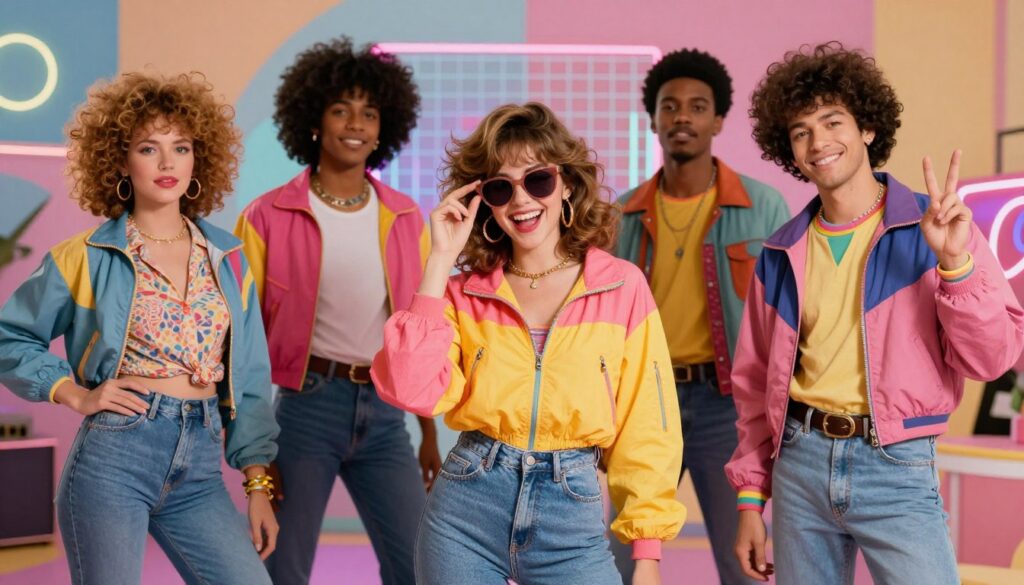
Imagine opening an old family album and finding a photograph of yourself from 1985. The familiar face is yours, but the clothes, hairstyle and setting belong to another decade: a wide-collar shirt, a flowing saree, a painted studio backdrop or a quiet college courtyard.
That is the appeal of the 80s AI photo trend. It gives you a way to explore a different version of yourself, whether you prefer a Bollywood-inspired portrait, a vintage couple photograph or a simple everyday scene that looks like an old memory.
The most convincing images usually begin with a specific idea. “Make my photo retro” leaves many decisions to the image tool. Describing the clothes, lighting, setting and facial details gives it a clearer direction.
Below, you will find seven original prompts, a guide to choosing your look, and practical fixes for common problems such as changed faces, yellow skin tones and unnatural hands. You can also explore more ideas in the OpenAIWebs AI Prompts collection .
One photo. Plenty of possibilities.
Browse the dedicated collection for studio portraits, saree looks, family photographs and other 1980s-inspired scenes.
Explore 80s Retro Photo Prompts →What Makes a Photo Feel Like the 80s?
A strong retro portrait is more than a modern selfie with a faded filter. The details should suggest the same period: the shape of the collar, the fabric, the hairstyle, the furniture and the way the photograph is framed.
You might choose a polished cinema-inspired look, but everyday settings can be just as interesting. A college walkway, a modest sitting room or a wooden veranda can give the image a personal, familiar feeling.
- Clothing: Printed shirts, high-waisted trousers, elegant sarees and understated traditional outfits help establish your chosen look.
- Surroundings: Painted studio backgrounds, wooden furniture and simple outdoor locations create a coherent scene.
- Photographic texture: Fine grain and gentle print contrast can suggest an analogue photograph without hiding important details.
- Expression and pose: A relaxed smile or a composed studio pose often feels more believable than exaggerated glamour.
Retro does not have to mean yellow
You can ask for vintage clothing and film texture while keeping skin tones natural. If you prefer a clean look, include “neutral color balance, subtle film grain and no heavy yellow cast” in your prompt.
Choose a Style Before You Generate
Start with the mood you want your picture to communicate. A dreamy saree portrait needs a different setting from a casual college photograph. Choosing one direction first makes it easier to decide which details to keep and which to change.
| Your idea | Try this look | Details to include |
|---|---|---|
| A classic profile picture | 80s studio portrait | A simple backdrop, shoulder-up framing and soft light |
| A romantic solo photograph | Cinema-inspired saree portrait | Flowing fabric, gentle expression and a quiet veranda |
| A playful everyday look | Retro college photograph | A printed shirt, books and a leafy campus |
| A photograph with your partner | Vintage couple portrait | Coordinated outfits and a comfortable seated pose |
| A regional cultural setting | Kerala courtyard portrait | Traditional attire, woodwork and soft daylight |
| A nostalgic group picture | Family-album photograph | Simple furniture, natural expressions and clear faces |
How to Create Your 80s AI Photo
1. Start with a clear reference photo
Choose a photograph where your face is visible and reasonably sharp. Avoid starting with heavy beauty filters, deep shadows or an image where sunglasses cover much of your face. For a couple or family picture, make sure each person is easy to distinguish.
2. Pick a prompt and adjust the details
Use one of the examples below or visit the 80s Retro Photo Prompts page . Change the outfit color, location or expression to suit your idea. Keep the instructions about preserving your identity.
3. Upload the reference in your chosen image tool
Use an image-generation or image-editing service that supports reference photographs. Upload your image there, paste the prompt, and choose the available aspect-ratio or size controls.
OpenAIWebs provides the prompt text; it does not generate the photo. You do not upload your picture to the prompt collection. Access limits and any generation charges depend on the separate image tool you use.
4. Review the result before changing everything
Look at the face first, then check hands, clothing and background objects. If the composition is good but the shirt color is wrong, request that one change. A focused revision gives the tool a clearer task than asking it to redesign the entire image.
7 Sample 80s AI Photo Prompts to Copy and Customize
Select and copy the text inside your preferred prompt box. These examples are creative starting points; results vary by image tool and reference quality.
The Old Photo-Studio Look
Start here if you want a clean portrait with the feeling of a photograph taken at a neighborhood studio.
Transform my uploaded photo into a realistic 1980s Indian studio portrait. Preserve my facial identity, age, natural skin tone and recognizable expression. Dress me in an ivory wide-collar shirt with a navy jacket and subtle period-inspired hairstyling. Use a painted blue-gray backdrop, a relaxed three-quarter pose and soft portrait lighting. Add fine film grain and gentle printed-photo contrast. Keep skin texture realistic, with no heavy yellow tint, plastic smoothing, altered facial features, text or watermark. Create a vertical 4:5 composition.
Make it yours: Replace the jacket with a simple kurta or change the backdrop to muted green.
The Dreamy Retro Saree Portrait
Flowing fabric and a quiet setting give this photograph its mood. Keep the background simple so your face remains the focus.
Reimagine my uploaded portrait as an elegant 1980s Indian cinema-inspired photograph. Preserve my face, age and natural skin tone. Style me in a rose-pink chiffon saree with a modest matching blouse and softly waved hair. Place me beside a veranda overlooking a garden, with a gentle expression and naturally positioned hands. Use soft daylight, realistic fabric folds and delicate analogue film texture. Keep colors balanced without excessive glow or yellow tint. Avoid exaggerated beauty retouching. No text or watermark. Vertical 4:5 framing.
Make it yours: Try powder blue, lavender or deep red while keeping the same setting.
The 80s College-Day Photograph
This is a casual alternative to a formal studio portrait: familiar surroundings, simple clothing and a natural smile.
Use my uploaded photo to create a candid 1980s Indian college-campus portrait. Preserve my face, age and natural body proportions. Dress me in a tucked-in blue printed shirt, high-waisted trousers and simple period-appropriate shoes. Show me beside a leafy campus walkway, holding two books comfortably and smiling naturally. Use an eye-level camera, soft outdoor daylight and restrained 35mm film grain. Keep the setting free of modern phones and readable signs. Avoid extra fingers, artificial skin smoothing and strong color casts. Create a vertical three-quarter portrait.
Make it yours: Swap the books for a canvas shoulder bag if you prefer a relaxed walking pose.
The Vintage Couple Portrait
Imagine how a studio photograph of you and your partner might look in an older family album.
Turn the uploaded photograph of us into a realistic 1980s Indian couple studio portrait. Preserve both facial identities, ages and individual skin tones. Dress us in coordinated navy and muted pink period-inspired clothing. Use a simple painted backdrop and a comfortable seated pose with warm, natural expressions. Keep hands visible and anatomically believable. Apply soft studio lighting and gentle printed-photo texture without heavy blur or yellowing. Do not merge our facial features, add extra people or include text. Create a balanced vertical 4:5 portrait.
Make it yours: Choose traditional clothing or a simpler everyday look before generating.
The Kerala-Style Retro Portrait
Wooden architecture and soft daylight create a calm setting for a traditional portrait.
Create a realistic 1980s Kerala-style portrait using my uploaded reference photo. Preserve my facial identity, age and natural skin tone. Dress me in traditional cream Kerala attire with understated border detailing. Place me in a quiet courtyard beside a wooden doorway and a tiled-roof house. Use a relaxed standing pose, natural hand placement and soft daylight. Add subtle film grain and the gentle contrast of an old color print. Keep skin and fabric realistic. Avoid excessive jewelry, artificial glow, heavy yellow color grading, text and watermarks. Vertical 4:5 composition.
Make it yours: Specify the exact outfit you want rather than leaving “traditional attire” open to interpretation.
The Retro Street Portrait
A street setting adds a little story to the image. Keep the scene focused rather than filling it with too many background details.
Transform my uploaded photo into a realistic street portrait inspired by 1980s Bombay. Preserve my face, age and skin tone. Dress me in a muted teal printed shirt and dark flared trousers. Show me standing naturally near a modest old storefront, with period-inspired street details softly out of focus. Use an eye-level 50mm-style perspective and natural daylight. Keep the person as the main subject. Add subtle analogue grain without heavy scratches. Avoid modern devices, invented readable shop names, distorted hands, text overlays and watermarks. Output a vertical portrait.
Make it yours: Treat this as a fictional period-inspired scene, rather than a documentary reconstruction of a specific historical street.
The Nostalgic Family Photograph
The challenge here is keeping every person recognizable. A simple seated arrangement gives the image a clear structure.
Reimagine the uploaded family photograph as a realistic 1980s Indian family-album picture. Preserve every person’s facial identity, age, skin tone and relative height. Keep exactly the same number of people. Arrange the family comfortably in a modest sitting room with wooden furniture and simple patterned curtains. Use understated period-inspired clothing, natural expressions and believable hands. Apply gentle frontal photographic lighting, fine grain and slightly faded print contrast. No face swapping, extra people, excessive yellow tint, printed dates, text or watermark. Use a horizontal 4:3 composition.
Make it yours: Ask for a setting inspired by your own family home, using a few details you remember.
Found a look you like?
Explore more variations in the dedicated 80s category, or browse the full collection for a completely different direction.
Browse More 80s Prompts →Your Result Looks Almost Right? Try These Fixes
The first image may have the right atmosphere but one distracting detail. Before starting again, describe precisely what you want corrected and what should stay the same.
If the face no longer looks like you
Return to a clearer reference and simplify the requested transformation. A drastic hairstyle change, unusual angle and heavy makeup can make it harder to judge the likeness.
If the image is too yellow or overly glowing
Ask for the vintage feeling to come from the clothes and texture, while keeping the lighting and skin color balanced.
If the hands look awkward
Choose a simpler pose. Resting hands on a lap or keeping them relaxed beside the body may be easier to communicate than holding several objects at once.
If the result looks like a costume shoot
Reduce the number of dramatic details. An oversized hairstyle, loud outfit, elaborate background and heavy film effect can compete with one another.
Make More Than a Single Retro Photograph
Once you have one image you like, you can build a small story around it. Keep your favorite face and composition as a reference when trying related variations.
- Create a then-and-now pair: Place the original and retro images side by side, clearly labeling the transformed version as an AI edit.
- Try three looks: Make a studio portrait, a casual college scene and a traditional photograph. Ask readers which style suits you best.
- Build a family-album carousel: Use a consistent photographic treatment across several images and add your own short captions.
- Explore a music-themed portrait: Try a vintage recording-studio setting, then add your original song title in an image editor.
For a simple caption, try: “If my profile picture had been taken in 1985… Which look should I try next? AI-edited portrait.”
Ready to Try Another Style?
The AI Prompts homepage brings multiple creative categories together, so you can move from a retro portrait to fashion, couple photography or even music ideas.
- Retro & Vintage Photo Prompts — explore other decades, analogue textures and old-camera looks.
- AI Model Photo Prompts — try portfolio portraits and fashion-editorial settings.
- Saree & Traditional Photo Prompts — explore different textiles, outfits and portrait settings.
- Couple Photo Prompts — find casual, travel and engagement-style ideas.
- AI Hindi Song Prompts — develop original romantic, emotional or upbeat music directions.
- AI DJ Remix Prompts — explore dance arrangements for your own or authorized music.
Frequently Asked Questions
Are the 80s photo prompts free?
The OpenAIWebs collection is free to browse and copy. Creating the actual image takes place in a separate AI service, which may have its own usage limits or charges.
Do I need to upload my photo to OpenAIWebs?
No. OpenAIWebs provides text prompts. Upload your reference photograph only in the image-generation or editing tool you choose to use.
Can I use these prompts without a reference photo?
Yes, but the result will not be based on your face. Replace the reference-photo instructions with a description of an original fictional person and keep the outfit, setting and lighting directions.
Will my face remain exactly the same?
A perfect match is not guaranteed. A clear photo and specific instructions help communicate the goal, but you should check the result and ask for corrections if key features change.
Can I change a saree prompt into a shirt or kurta look?
Absolutely. Replace the clothing description and adjust the pose if necessary. Keep the identity, lighting and photographic texture instructions that you want to retain.
Which image shape should I choose?
A vertical 4:5 composition works well for a portrait-style post. Square framing is useful when you want a balanced crop, while a wider composition gives a family group more room. Select the available size controls in your image tool as well as mentioning the shape in your prompt.
Why does my image look too modern?
Check the small details: phones, clothing cuts, accessories and background objects. Ask for a simpler period-inspired setting and remove elements that conflict with the look you chose.
Where can I find more ready-to-copy prompts?
Visit the 80s Retro Photo Prompts collection for more vintage ideas, or explore all AI prompt categories for photos, music, videos and written content.
What would your 80s photograph look like?
Choose one setting, pick an outfit and start with a clear photo. A few thoughtful details can give your portrait a character of its own.
Find Your Next AI Prompt →